

Text Formatting Plugin
The TextFormattingPlugin provides inline text formatting marks: bold, italic, and underline.
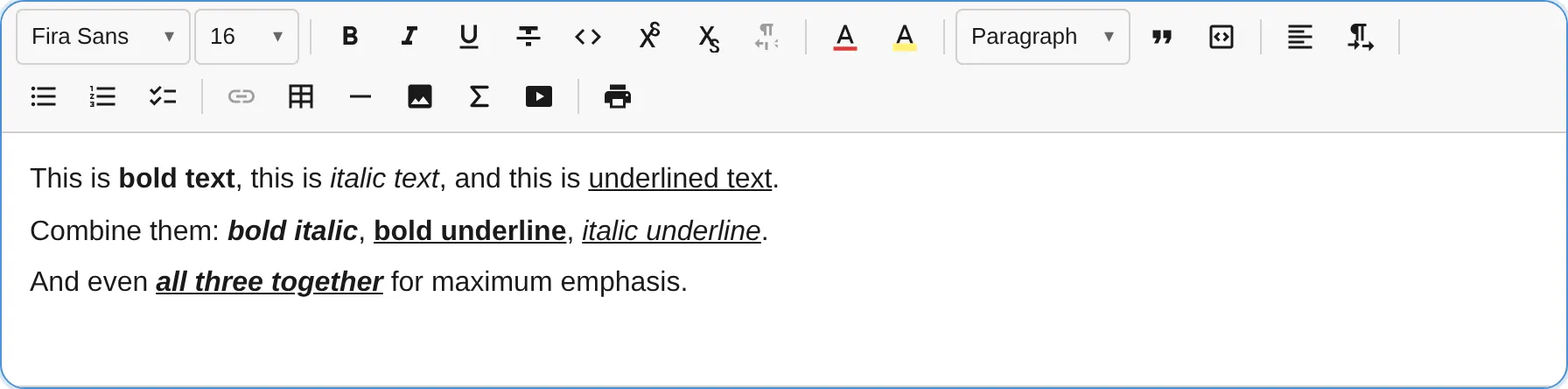
import { TextFormattingPlugin } from '@notectl/core/plugins/text-formatting';
new TextFormattingPlugin({  bold: true,  italic: true,  underline: true,})
This plugin is auto-registered if you don’t explicitly add it. To customize which marks are enabled, add it explicitly.
Configuration
Section titled “Configuration”interface TextFormattingConfig { /** Enable bold mark registration. Default: true */ readonly bold: boolean; /** Enable italic mark registration. Default: true */ readonly italic: boolean; /** Enable underline mark registration. Default: true */ readonly underline: boolean; /** Control toolbar button visibility per mark */ readonly toolbar?: TextFormattingToolbarConfig; /** Custom locale strings. */ readonly locale?: TextFormattingLocale;}
interface TextFormattingToolbarConfig { /** Show bold button. Default: true */ readonly bold?: boolean; /** Show italic button. Default: true */ readonly italic?: boolean; /** Show underline button. Default: true */ readonly underline?: boolean;}Disable a mark entirely
Section titled “Disable a mark entirely”When a mark is disabled, it is not registered in the schema. The keyboard shortcut does nothing, and no toolbar button appears.
new TextFormattingPlugin({ bold: true, italic: true, underline: false, // Not registered in schema — Ctrl+U has no effect})Hide toolbar buttons but keep the mark
Section titled “Hide toolbar buttons but keep the mark”The mark remains functional (keyboard shortcuts work, programmatic toggle works), but the toolbar button is hidden:
new TextFormattingPlugin({ bold: true, italic: true, underline: true, toolbar: { underline: false, // Hidden in toolbar, but Ctrl+U still works },})Show disabled buttons
Section titled “Show disabled buttons”When a mark feature is disabled but the toolbar config explicitly enables the button, a disabled (greyed-out) button renders:
new TextFormattingPlugin({ bold: true, italic: true, underline: false, toolbar: { underline: true, // Button visible but disabled },})Commands
Section titled “Commands”| Command | Description | Returns |
|---|---|---|
toggleBold |
Toggle bold mark on selection | boolean — true if applied |
toggleItalic |
Toggle italic mark on selection | boolean — true if applied |
toggleUnderline |
Toggle underline mark on selection | boolean — true if applied |
editor.executeCommand('toggleBold');Keyboard Shortcuts
Section titled “Keyboard Shortcuts”| Shortcut | Action |
|---|---|
Ctrl+B / Cmd+B |
Toggle bold |
Ctrl+I / Cmd+I |
Toggle italic |
Ctrl+U / Cmd+U |
Toggle underline |
Mark Specs
Section titled “Mark Specs”| Mark | HTML Tag | Rank |
|---|---|---|
bold |
<strong> |
0 |
italic |
<em> |
1 |
underline |
<u> |
2 |
The rank determines the nesting order when multiple marks overlap. Lower rank = outer element.
Toolbar Items
Section titled “Toolbar Items”Each mark registers a toolbar item in the format group with:
- An SVG icon
- A tooltip showing the shortcut (e.g., “Bold (Ctrl+B)”)
- An
isActivecheck that highlights the button when the mark is active at the cursor