

Text Color Plugin
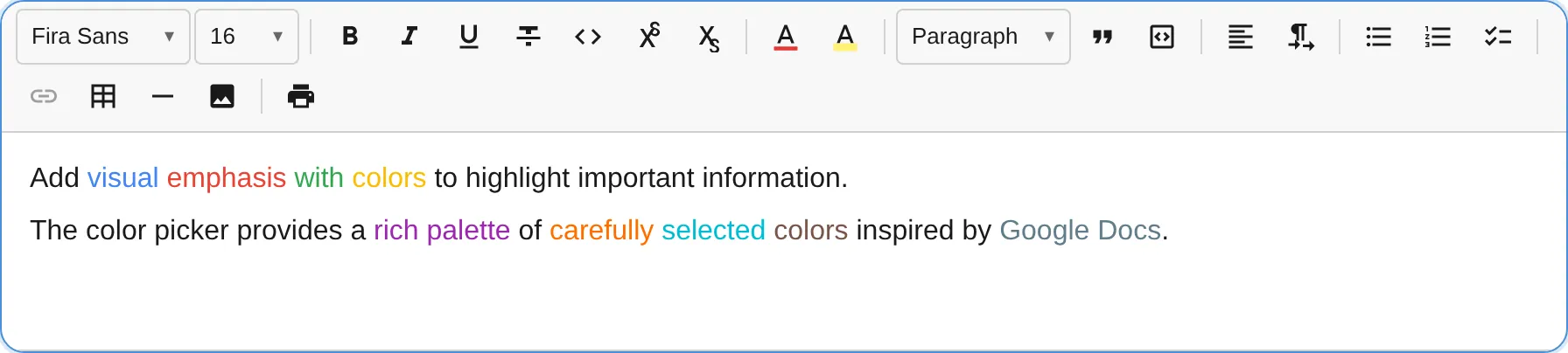
The TextColorPlugin provides a color picker popup for changing text color, with a customizable palette defaulting to Google Docs’ 70-color grid.
import { TextColorPlugin } from '@notectl/core/plugins/text-color';
new TextColorPlugin()// or with custom colors:new TextColorPlugin({  colors: ['#000000', '#FF0000', '#00FF00', '#0000FF', '#FFFF00'],})
Configuration
Section titled “Configuration”interface TextColorConfig { /** Custom color palette (hex values). Default: Google Docs 70-color palette */ readonly colors?: string[]; /** Custom locale strings. */ readonly locale?: TextColorLocale;}Colors must be valid hex values (#RGB or #RRGGBB). Invalid values cause an error to be thrown. Duplicates (case-insensitive) are removed.
Commands
Section titled “Commands”| Command | Description | Returns |
|---|---|---|
removeTextColor | Remove text color mark (reset to default) | boolean |
editor.executeCommand('removeTextColor');Color application is handled through the toolbar popup’s click handlers — each color swatch applies the corresponding textColor mark.
Toolbar
Section titled “Toolbar”The text color button shows a color swatch preview reflecting the current text color. Clicking opens a grid picker with all available colors. The currently active color is highlighted with a visual indicator.
Mark Spec
Section titled “Mark Spec”| Mark | Attributes | Renders As |
|---|---|---|
textColor | color: string | <span style="color: #FF0000"> |
Default Palette
Section titled “Default Palette”When no custom colors are provided, the plugin uses a 70-color palette matching Google Docs, organized in a 10x7 grid from light to dark shades. The palette includes:
- Row 1: Grayscale ramp (black to white)
- Row 2: Vivid pure colors (red, orange, yellow, green, cyan, blue, purple, magenta)
- Rows 3-5: Light to medium pastels
- Rows 6-7: Darker shades
Custom Palette Example
Section titled “Custom Palette Example”// Brand colors onlynew TextColorPlugin({ colors: [ '#1A1A1A', // Near black '#2563EB', // Brand blue '#16A34A', // Brand green '#DC2626', // Brand red '#9333EA', // Brand purple '#EA580C', // Brand orange ],})