

Inline Code Plugin
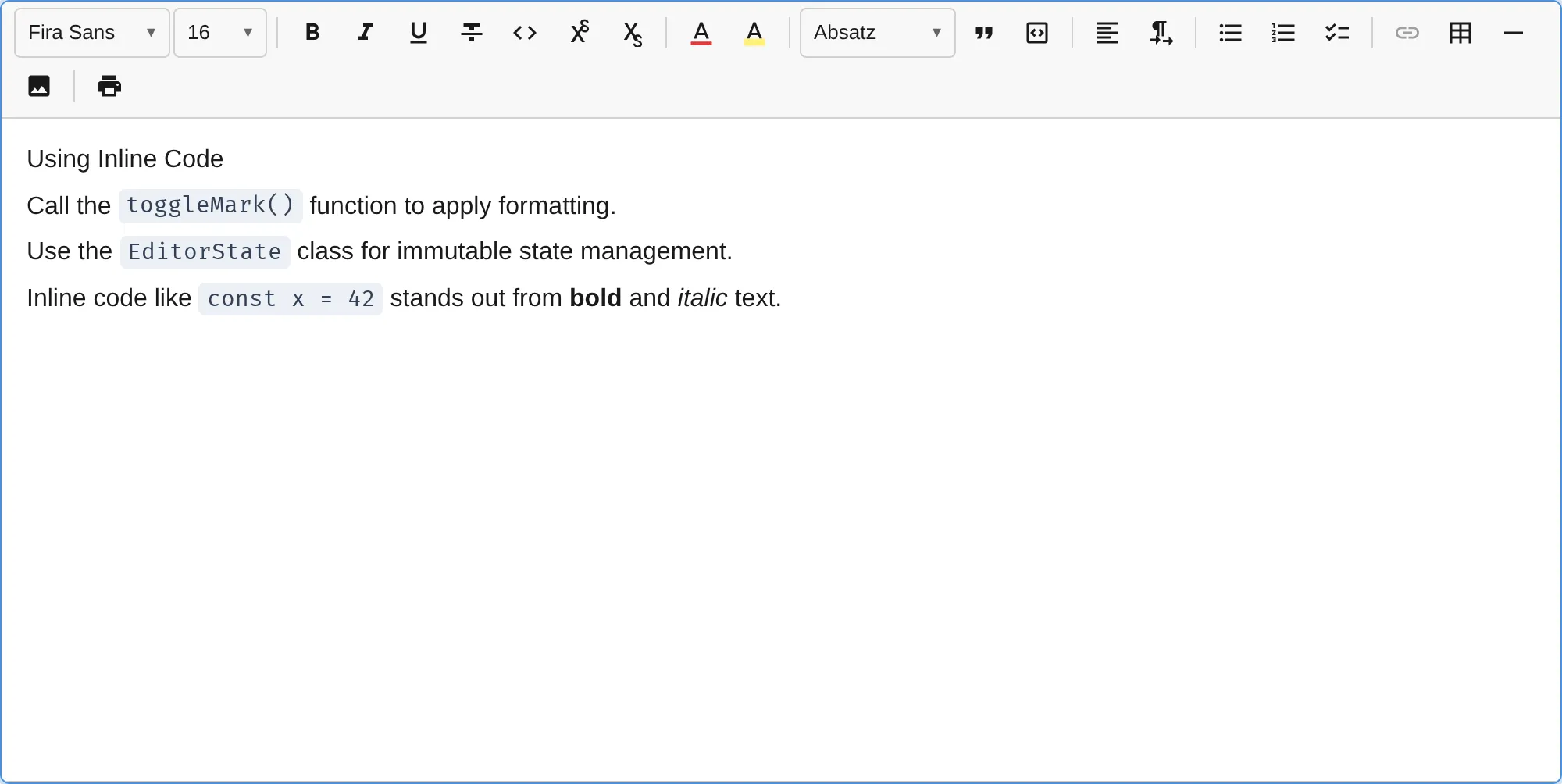
The InlineCodePlugin adds inline <code> formatting for marking up code snippets, variable names, or technical terms within running text.
import { InlineCodePlugin } from '@notectl/core/plugins/inline-code';
new InlineCodePlugin()
Configuration
Section titled “Configuration”interface InlineCodeConfig { /** Show toolbar button. Default: true */ readonly toolbar?: boolean; /** Override keyboard shortcut. Set to null to disable. Default: 'Mod-E' */ readonly keymap?: string | null; /** Enable backtick InputRule. Default: true */ readonly inputRule?: boolean; /** Override locale strings. */ readonly locale?: InlineCodeLocale;}Examples
Section titled “Examples”// Disable toolbar button (keyboard/input rule only)new InlineCodePlugin({ toolbar: false })
// Custom keyboard shortcutnew InlineCodePlugin({ keymap: 'Mod-Shift-C' })
// Disable keyboard shortcutnew InlineCodePlugin({ keymap: null })
// Disable backtick input rulenew InlineCodePlugin({ inputRule: false })Commands
Section titled “Commands”| Command | Description | Returns |
|---|---|---|
toggleInlineCode | Toggle code mark on selection | boolean |
editor.executeCommand('toggleInlineCode');Keyboard Shortcuts
Section titled “Keyboard Shortcuts”| Shortcut | Action |
|---|---|
Ctrl+E / Cmd+E | Toggle inline code |
Input Rules
Section titled “Input Rules”| Pattern | Result |
|---|---|
`text` | Wraps text with the code mark and removes the backticks |
The backtick rule is disabled inside code blocks to preserve literal backtick characters.
Theming
Section titled “Theming”CSS Custom Properties
Section titled “CSS Custom Properties”| Property | Default | Description |
|---|---|---|
--notectl-code-bg | var(--notectl-surface-raised) | Background color |
--notectl-code-color | var(--notectl-fg) | Text color |
Override via CSS on the editor element:
notectl-editor { --notectl-code-bg: #f0f0f0; --notectl-code-color: #d63384;}Or responsive with media queries:
@media (prefers-color-scheme: light) {  notectl-editor {    --notectl-code-bg: #edf0f5;    --notectl-code-color: #334155;  }}
@media (prefers-color-scheme: dark) {  notectl-editor {    --notectl-code-bg: #313244;    --notectl-code-color: #cdd6f4;  }}
Theme Object
Section titled “Theme Object”Use the inlineCode key in the theme object:
const editor = await createEditor({ theme: { name: 'custom', primitives: { /* ... */ }, inlineCode: { background: '#f0f0f0', foreground: '#d63384', }, },});High-Contrast Mode
Section titled “High-Contrast Mode”In Windows High Contrast mode (forced-colors: active), inline code receives a visible 1px solid border to remain distinguishable without relying on background color.
Mark Spec
Section titled “Mark Spec”| Mark | HTML Tag | Rank |
|---|---|---|
code | <code> | 3 |
HTML Parsing
Section titled “HTML Parsing”The plugin recognizes two HTML patterns on paste:
| Pattern | Example |
|---|---|
<code> element | <code>text</code> |
<span> with monospace font | <span style="font-family: monospace">text</span> |
The monospace span rule covers paste content from Google Docs and similar editors that use inline styles instead of semantic <code> tags.
Mark Exclusivity
Section titled “Mark Exclusivity”Inline code is mutually exclusive with formatting marks. When code is applied, existing formatting marks are automatically stripped. When the cursor is inside code-marked text, formatting commands are blocked.
| Excluded marks | Allowed marks |
|---|---|
| bold, italic, underline, strikethrough, highlight, font, fontSize, superscript, subscript | link |
This matches the convention used by editors like VS Code, GitHub, and Notion, where inline code is rendered in a monospace font without additional styling.
Toolbar
Section titled “Toolbar”The inline code button (</> icon) renders in the format toolbar group with an isActive check. When the cursor is inside code-marked text, the button appears highlighted.
Internationalization
Section titled “Internationalization”8 locales are bundled: English (default), German, Spanish, French, Chinese, Russian, Arabic, Hindi, and Portuguese. Locales are lazy-loaded based on the editor’s language setting.
import type { InlineCodeLocale } from '@notectl/core/plugins/inline-code';
const customLocale: InlineCodeLocale = {  label: 'Code',  tooltip: (shortcut) => `Code (${shortcut})`,};
new InlineCodePlugin({ locale: customLocale })