

Alignment Plugin
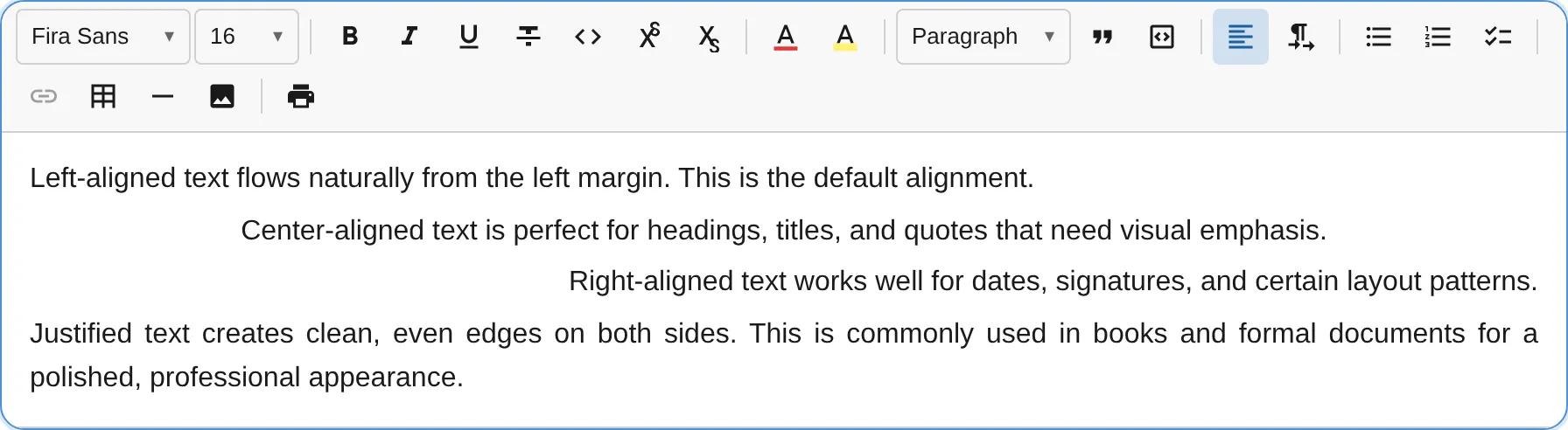
The AlignmentPlugin adds text alignment support for paragraphs, headings, and other alignable block types. It uses logical alignment values (start/end) instead of physical values (left/right) for correct behavior in both LTR and RTL text directions.
import { AlignmentPlugin } from '@notectl/core/plugins/alignment';
new AlignmentPlugin()// or restrict alignments:new AlignmentPlugin({ alignments: ['start', 'center', 'end'] })
Configuration
Section titled “Configuration”interface AlignmentConfig { /** Enabled alignment options. Default: ['start', 'center', 'end', 'justify'] */ readonly alignments: readonly BlockAlignment[]; /** Block types that support alignment. Default: ['paragraph', 'heading', 'title', 'subtitle', 'table_cell', 'image'] */ readonly alignableTypes: readonly string[]; /** Per-type default alignment. E.g. { image: 'center' } */ readonly defaults: Readonly<Record<string, BlockAlignment>>; /** Custom locale strings. */ readonly locale?: AlignmentLocale;}
type BlockAlignment = 'start' | 'center' | 'end' | 'justify';Logical Values and RTL Support
Section titled “Logical Values and RTL Support”The plugin uses CSS logical values instead of physical directions:
| Logical Value | In LTR | In RTL |
|---|---|---|
start | Left-aligned | Right-aligned |
end | Right-aligned | Left-aligned |
center | Centered | Centered |
justify | Justified | Justified |
This ensures alignment works correctly regardless of text direction. When combined with the TextDirectionPlugin, alignment automatically adapts to the block’s direction.
Example: No justify
Section titled “Example: No justify”new AlignmentPlugin({ alignments: ['start', 'center', 'end'],})Example: Custom alignable types
Section titled “Example: Custom alignable types”new AlignmentPlugin({ alignableTypes: ['paragraph', 'heading', 'blockquote'],})Commands
Section titled “Commands”| Command | Description | Returns |
|---|---|---|
alignStart | Align text to start (left in LTR, right in RTL) | boolean |
alignCenter | Center text | boolean |
alignEnd | Align text to end (right in LTR, left in RTL) | boolean |
alignJustify | Justify text | boolean |
editor.executeCommand('alignCenter');editor.executeCommand('alignStart');Keyboard Shortcuts
Section titled “Keyboard Shortcuts”| Shortcut | Action |
|---|---|
Ctrl+Shift+L / Cmd+Shift+L | Align start |
Ctrl+Shift+E / Cmd+Shift+E | Align center |
Ctrl+Shift+R / Cmd+Shift+R | Align end |
Ctrl+Shift+J / Cmd+Shift+J | Justify |
Toolbar
Section titled “Toolbar”The alignment plugin renders as a dropdown button with alignment icons. The currently active alignment is highlighted. Only alignments listed in the alignments config appear in the dropdown.
Middleware
Section titled “Middleware”The plugin registers transaction middleware that preserves the align attribute when a block’s type changes (e.g., paragraph to heading). This ensures alignment survives block type transformations.
Node Attribute
Section titled “Node Attribute”The plugin patches existing node specs to add an align attribute:
| Attribute | Type | Default | Renders As |
|---|---|---|---|
align | string | 'start' | style="text-align: center" |
When alignment is 'start' (the default), no inline style is added to keep the DOM clean.